
9 Best Agency Google Ads Workflow Tools in 2026
Managing Google Ads for multiple clients requires constant account switching, optimization, and reporting that can consume your entire workweek. The right agency Google Ads workflow tools can reduce optimization time from hours to minutes while maintaining consistency across all client accounts, allowing you to scale without expanding your team. Most successful agencies combine 2-3 specialized tools rather than relying on a single platform to handle everything from negative keyword management to automated bidding and client reporting.


Managing Google Ads for multiple clients means you're constantly switching between accounts, digging through search terms reports, building negative keyword lists, adjusting bids, and pulling together reports that clients actually understand. If you're doing all of this manually, you're probably working nights and weekends just to keep up.
The right workflow tools don't just save time—they fundamentally change how you operate. We're talking about cutting optimization time from hours to minutes, maintaining consistency across dozens of accounts, and actually having bandwidth to take on new clients without hiring more people.
Here are the top agency Google Ads workflow tools that are actually worth using in 2026. Some work directly inside Google Ads, others offer full-scale management platforms, and a few solve very specific problems exceptionally well. Most successful agencies use a combination of 2-3 tools rather than trying to find one perfect solution.
1. Keywordme
Best for: Agencies that spend too much time managing search terms and negative keywords across client accounts
Keywordme is a Chrome extension that turns Google Ads search term management from a spreadsheet nightmare into a series of quick clicks.

Where This Tool Shines
The biggest time sink in most PPC workflows is dealing with search terms. You're exporting reports, copying terms into spreadsheets, organizing negative keywords, then uploading them back. Keywordme eliminates that entire process by letting you work directly inside the Google Ads interface.
What makes this different from other tools is the zero learning curve. You're already in the search terms report where you normally work—now you just have better buttons. Click to remove junk terms, add negatives to the right lists, apply match types, and build new keyword groups without ever opening a spreadsheet or switching tabs.
Key Features
One-Click Search Term Actions: Remove irrelevant search terms and add them to negative keyword lists instantly from the search terms report interface.
Smart Keyword Clustering: Automatically groups related keywords so you can organize campaigns faster without manual sorting.
Bulk Match Type Application: Apply exact, phrase, or broad match modifiers to multiple keywords at once with a single click.
Multi-Account Management: Switch between client accounts seamlessly with team support built for agency workflows.
Negative Keyword List Building: Create and manage negative keyword lists directly in-interface without downloading CSVs or using Google Ads Editor.
Best For
Agencies managing multiple Google Ads accounts who spend significant time on search term optimization. Especially valuable if you're currently using spreadsheets to manage negative keywords or if you're onboarding new team members who need to optimize accounts quickly without extensive training.
Pricing
$12/month per user with a 7-day free trial. Flat rate regardless of ad spend or number of accounts managed.
2. Optmyzr
Best for: Agencies that need rule-based automation and advanced reporting across multiple platforms
Optmyzr is a comprehensive PPC management platform that automates repetitive optimization tasks while keeping humans in control.

Where This Tool Shines
Optmyzr's Rule Engine is where most agencies find the real value. You can set up automated rules that monitor campaigns and suggest optimizations—but critically, you approve changes before they go live. This means you get the speed of automation without the risk of letting an algorithm wreck a campaign.
The platform also excels at custom reporting with white-labeling options that make client reports look professional without hours of manual work. If you're managing shopping campaigns, their feed management and product group tools are particularly strong.
Key Features
Rule Engine: Create custom automation rules that monitor campaigns and suggest optimizations based on your specific criteria.
One-Click Optimizations: Pre-built optimization workflows for common tasks like bid adjustments, ad testing, and budget pacing.
White-Label Reporting: Custom report builder with your agency branding that can be scheduled and automatically sent to clients.
Shopping Campaign Tools: Advanced product feed management and automated product group creation for ecommerce accounts.
Budget Management: Automated budget pacing alerts and recommendations to prevent overspending or underspending.
Best For
Mid-sized to large agencies managing $100k+ in monthly ad spend across multiple clients. Works best when you have established optimization processes you want to automate rather than figure out from scratch.
Pricing
Starts at $249/month for accounts managing up to $25k in ad spend. Pricing scales with ad spend volume.
3. Adalysis
Best for: Agencies focused on ad testing and quality score optimization
Adalysis is built specifically for Google Ads professionals who take ad testing and account quality seriously.

Where This Tool Shines
Most agencies say they do ad testing but actually just rotate ads randomly and pick winners based on gut feel. Adalysis brings statistical rigor to the process—it tracks ad performance, calculates statistical significance, and tells you when you actually have a winner rather than just noise.
The Quality Score tracking is another standout feature. You can see historical Quality Score data and get alerts when scores drop, which helps you catch account issues before they tank performance. The N-gram analysis tool is particularly useful for finding patterns in search terms that you'd never spot manually.
Key Features
Automated Ad Testing: Statistical significance testing that tells you when an ad is actually performing better, not just getting lucky.
Quality Score Monitoring: Historical tracking and alerts for Quality Score changes across keywords and ad groups.
N-Gram Analysis: Identifies common word patterns in search terms to help you find negative keyword opportunities and new targeting ideas.
Automated Recommendations: Daily optimization suggestions based on account performance and best practices.
Multi-Account Dashboard: Single view across all client accounts with customizable performance alerts.
Best For
Agencies that compete on optimization quality rather than just media buying. Especially valuable if you manage competitive industries where Quality Score and ad performance directly impact profitability.
Pricing
Starts at $149/month based on total ad spend managed. Pricing increases with higher spend volumes.
4. WordStream
Best for: Agencies managing small business clients who need simple, guided optimization
WordStream is designed for agencies working with SMB clients across Google Ads, Microsoft Ads, and Meta platforms.

Where This Tool Shines
WordStream's "20-Minute Work Week" approach is perfect for agencies managing lots of small accounts. The platform guides you through optimization tasks in a specific order, showing you exactly what needs attention and what can wait. This makes it easy to train junior team members and maintain consistency across client accounts.
The cross-platform management is another practical advantage—you can manage Google, Microsoft, and Facebook campaigns from one dashboard, which matters when your clients are running integrated campaigns. The white-label reporting tools are straightforward and client-friendly.
Key Features
Guided Optimization Workflow: 20-Minute Work Week system that prioritizes optimization tasks and walks you through them step-by-step.
Cross-Platform Management: Manage Google Ads, Microsoft Advertising, and Meta campaigns from a single interface.
Performance Alerts: Automated notifications when campaigns need attention or performance drops unexpectedly.
Landing Page Tools: Built-in landing page creation and testing tools for clients without dedicated web resources.
White-Label Reporting: Client-ready reports with your agency branding that can be scheduled and automated.
Best For
Agencies focused on local businesses and SMB clients with smaller budgets. Works well when you need to manage many accounts efficiently rather than deep-dive optimize a few large accounts.
Pricing
Custom pricing based on ad spend and feature requirements. Typically ranges from $299-$799/month depending on account volume.
5. Skai (formerly Kenshoo)
Best for: Enterprise agencies managing large-scale, multi-channel campaigns
Skai is an enterprise marketing platform built for agencies managing major brands across multiple advertising channels.

Where This Tool Shines
Skai operates at a different scale than most tools on this list. If you're managing seven-figure monthly budgets across Google, Amazon, Meta, TikTok, and retail media networks, this is where you play. The AI-powered bidding algorithms are sophisticated enough to handle complex attribution models and cross-channel optimization.
The platform's retail media capabilities are particularly strong—if you're managing campaigns for brands selling on Amazon, Walmart, Target, and other retail platforms, Skai provides unified management and reporting that you can't get from native interfaces.
Key Features
AI-Powered Bid Optimization: Machine learning algorithms that optimize bids across channels based on business goals and attribution models.
Cross-Channel Attribution: Unified reporting and attribution across paid search, social, retail media, and display channels.
Retail Media Management: Specialized tools for managing campaigns across Amazon Ads, Walmart Connect, Target Roundel, and other retail platforms.
Advanced Audience Tools: Sophisticated audience segmentation and targeting capabilities across platforms.
API Integrations: Deep integrations with major advertising platforms and data warehouses for custom workflows.
Best For
Enterprise agencies managing large brands with multi-million dollar annual ad budgets. Only makes sense when you're operating at significant scale across multiple channels.
Pricing
Enterprise pricing typically starts around $3,000/month and scales based on ad spend volume and feature requirements. Requires annual contracts.
6. Channable
Best for: Agencies managing ecommerce clients with large product catalogs
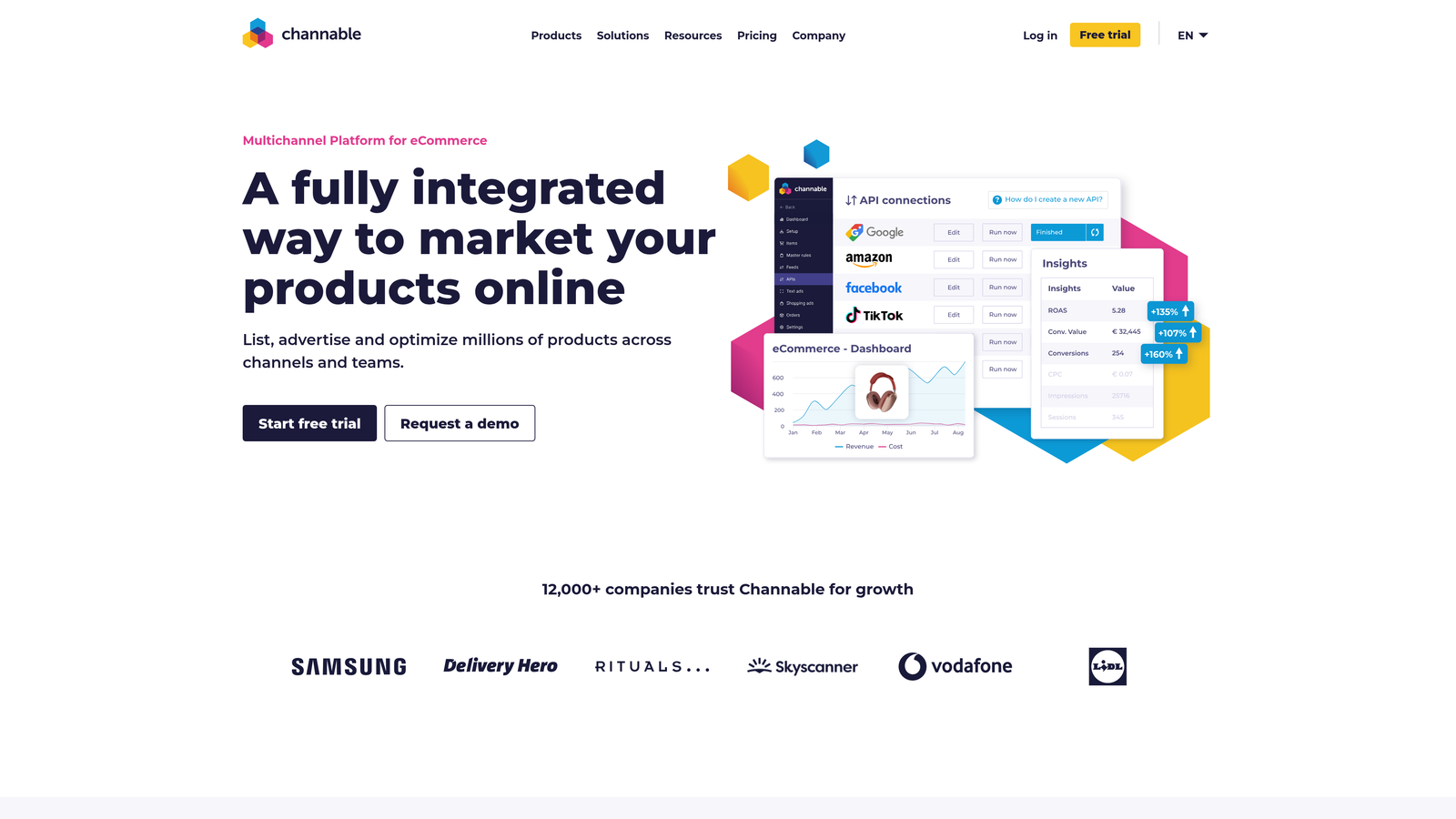
Channable is a feed management and PPC automation platform designed specifically for ecommerce advertisers.
Where This Tool Shines
If you manage Google Shopping campaigns for clients with thousands of SKUs, Channable solves the product feed headache. You can optimize feeds, create rule-based campaigns, and generate dynamic text ads directly from product data—all without touching spreadsheets.
The rule-based automation is particularly powerful for ecommerce. You can automatically create campaigns based on product attributes, adjust bids based on inventory levels or margins, and generate ad copy that pulls directly from product descriptions. This level of automation is nearly impossible to achieve manually at scale.
Key Features
Product Feed Optimization: Clean, optimize, and enhance product feeds for Google Shopping, Meta, and other channels.
Dynamic Ad Generation: Automatically create text ads from product feed data with customizable templates.
Rule-Based Campaign Automation: Create campaigns and ad groups automatically based on product attributes like category, price, or inventory.
Multi-Marketplace Support: Manage feeds and campaigns across Google, Amazon, Meta, and 2,500+ other channels.
Performance Analytics: Product-level performance reporting that shows which SKUs drive revenue and which waste budget.
Best For
Agencies managing ecommerce clients with 500+ SKUs who run Shopping campaigns. Especially valuable for clients selling across multiple marketplaces or with frequently changing inventory.
Pricing
Starts at €59/month based on SKU count. Pricing scales with the number of products managed and channels used.
7. Supermetrics
Best for: Agencies that need automated reporting and custom analytics dashboards
Supermetrics is a data pipeline tool that pulls advertising data into Google Sheets, Looker Studio, and data warehouses.

Where This Tool Shines
Reporting is where most agencies waste the most time. Supermetrics eliminates manual data exports by automatically pulling data from Google Ads, Meta, LinkedIn, and 70+ other sources into your reporting tools. Set up a report template once, and it refreshes automatically on your schedule.
The real power comes when you combine data from multiple sources. You can build dashboards that show Google Ads performance alongside Meta campaigns, website analytics, and CRM data—all updating automatically. This is especially valuable for agencies that compete on strategic insights rather than just campaign management.
Key Features
Google Sheets Integration: Direct data connections that pull advertising metrics into spreadsheets with scheduled refreshes.
Looker Studio Connectors: Pre-built data sources for creating automated dashboards in Google's free visualization tool.
Data Warehouse Destinations: Push data to BigQuery, Snowflake, or other warehouses for advanced analysis.
70+ Data Sources: Connect to Google Ads, Meta, LinkedIn, TikTok, analytics platforms, and more from one tool.
Custom Metrics: Create calculated fields and custom metrics that combine data from multiple sources.
Best For
Agencies that do significant client reporting or need to combine data from multiple marketing channels. Most valuable when you're managing 10+ client accounts and spending hours each month on manual reporting.
Pricing
Starts at $39/month per data source. Most agencies need 3-5 connectors, so expect $120-200/month for typical usage.
8. Google Ads Editor
Best for: Bulk campaign edits and offline work
Google Ads Editor is Google's free desktop application for managing campaigns offline and making bulk changes.
Where This Tool Shines
Google Ads Editor is unglamorous but essential. When you need to make the same change across hundreds of ad groups, copy entire campaigns between accounts, or work on campaign builds without internet access, Editor is the only practical option.
The find-and-replace functionality alone saves hours. You can update tracking parameters across thousands of ads, swap out landing pages across campaigns, or update ad copy en masse. The draft mode lets you make extensive changes and review everything before publishing, which prevents the "oh shit" moments that happen when you accidentally pause a campaign in the web interface.
Key Features
Offline Editing: Download accounts and make changes without internet connection, then upload when ready.
Bulk Copy and Paste: Copy campaigns, ad groups, or keywords between accounts with all settings intact.
Find and Replace: Search and replace text across ads, keywords, and settings throughout entire accounts.
Draft Mode: Make extensive changes and review them before publishing to live campaigns.
CSV Import/Export: Import campaign structures from spreadsheets or export for offline analysis.
Best For
Every agency should have Google Ads Editor installed. It's free and essential for bulk operations that would take hours in the web interface.
Pricing
Free from Google. Works on Windows and Mac.
9. TrueClicks
Best for: Automated account auditing and monitoring
TrueClicks is an automated auditing platform that continuously monitors Google Ads accounts for issues and optimization opportunities.
Where This Tool Shines
Account audits are time-consuming but necessary—both for new client onboarding and ongoing account health monitoring. TrueClicks automates this by running continuous checks against Google Ads best practices and alerting you when it finds problems.
The anomaly detection is particularly useful for agencies managing many accounts. You get alerts when something unusual happens—like a sudden budget depletion, Quality Score drop, or conversion rate change—so you can address issues before clients notice. The white-label audit reports are also valuable for sales calls when you're trying to win new business by showing prospects what's wrong with their current setup.
Key Features
Continuous Monitoring: Automated account checks that run daily and alert you to issues and opportunities.
Automated Audit Reports: Comprehensive account audits that evaluate campaigns against 200+ best practice criteria.
Anomaly Detection: Alerts when performance metrics deviate significantly from normal patterns.
Best Practice Checklists: Structured optimization checklists that ensure consistent account management across clients.
White-Label Reports: Client-ready audit reports with your agency branding for proposals and ongoing communication.
Best For
Agencies that need systematic account monitoring across multiple clients or want professional audit reports for sales and client retention. Most valuable when managing 15+ accounts.
Pricing
Starts at €49/month per account. Volume discounts available for agencies managing multiple accounts.
Making the Right Choice
Most agencies don't use just one tool—they build a stack that addresses their specific bottlenecks. The most common combination is an in-interface optimization tool like Keywordme for daily search term management, a reporting tool like Supermetrics to automate client dashboards, and Google Ads Editor for bulk operations.
Start by identifying your biggest time sink. If you're spending hours each week exporting search terms and building negative keyword lists, Keywordme solves that specific problem. If client reporting eats up your Fridays, Supermetrics gets you that time back. If you're managing large ecommerce accounts with thousands of products, Channable handles the feed complexity.
For solo freelancers and small agencies managing under 10 accounts, you probably need 2-3 tools maximum. A Chrome extension for in-interface work, a reporting solution, and Google Ads Editor covers most workflows. Mid-sized agencies managing 10-30 accounts often add a platform like Optmyzr or Adalysis for automation and quality control. Enterprise agencies managing major brands typically need the full stack plus specialized tools like Skai for cross-channel management.
The ROI calculation is straightforward: if a tool saves you 5 hours per week, that's 20 hours per month. At $100/hour (a conservative agency rate), that's $2,000 in recovered billable time. Even expensive tools pay for themselves quickly when you calculate the actual time savings.
Start your free 7-day trial of Keywordme and see how much faster you can optimize search terms when you're working directly inside Google Ads. No spreadsheets, no tab switching, just quick clicks that turn hours of work into minutes. At $12/month per user, it's the fastest ROI you'll get from any tool on this list.
.svg)