
9 Best AdWords Optimization Tools to Maximize Your ROI
The right AdWords optimization tools can dramatically reduce wasted ad spend and automate time-consuming campaign management tasks in 2026. This guide covers the top solutions—from Chrome extensions to full-suite platforms—helping solo marketers and agencies streamline keyword research, negative list building, and bid management to maximize Google Ads ROI without endless manual work.


TL;DR: Most advertisers choose AdWords optimization tools based on feature lists — then discover the tool doesn't actually fit how they work inside Google Ads. The right tool should cut wasted spend, surface high-intent keywords, and eliminate the tedious tasks that eat your day. Whether you're a solo marketer juggling multiple accounts or an agency managing dozens of clients, the tools on this list were chosen for how they perform in real workflows, not just spec sheets. From in-interface Chrome extensions that work directly inside Google Ads to full-suite platforms built for enterprise automation, here's what serious PPC managers actually use — and why.
If you've ever spent an hour digging through search terms reports, manually copying junk queries into negative keyword lists, or switching between spreadsheets and Google Ads just to apply match types, you already know the problem. Google Ads optimization shouldn't feel like data entry — but without the right tools, that's exactly what it becomes.
The good news? Modern AdWords optimization tools have evolved way beyond basic keyword planners. Today's platforms handle everything from one-click search term cleanup to full-scale bid automation, competitive intelligence, and Quality Score diagnostics. Some live directly inside the Google Ads interface, while others operate as standalone dashboards with cross-platform capabilities.
Here are the top AdWords optimization tools that serious PPC managers rely on.
1. Keywordme
Best for: Fast, in-interface search terms optimization and negative keyword management
Keywordme is a Chrome extension that integrates directly into Google Ads' Search Terms Report, letting you optimize campaigns without leaving the native interface.

Where This Tool Shines
Most optimization tools force you to export data, work in spreadsheets, then upload changes back into Google Ads. Keywordme eliminates that entire workflow by putting optimization controls right where you're already working—inside the Search Terms Report itself.
You can remove junk search terms with a single click, apply match types instantly, build negative keyword lists on the fly, and create new keyword groups without switching tabs or opening external dashboards. It's particularly powerful for agencies managing multiple client accounts, since it supports multi-account workflows and team collaboration features.
Key Features
One-Click Junk Removal: Instantly exclude irrelevant search terms directly from the Search Terms Report without manual copying.
Instant Match Type Application: Apply exact, phrase, or broad match modifiers to keywords without leaving Google Ads.
Keyword Clustering: Automatically group related search terms to identify new keyword opportunities and campaign structure improvements.
Bulk Negative List Building: Create and update negative keyword lists in seconds, not minutes.
Multi-Account Support: Switch between client accounts seamlessly with team collaboration features for agencies.
Best For
Solo advertisers and agencies who want to optimize campaigns 10x faster without changing their existing Google Ads workflow. If you spend significant time in the Search Terms Report, this tool eliminates the tedious parts of that process.
Pricing
$12/month per user with a 7-day free trial. Flat-rate pricing regardless of ad spend makes it especially cost-effective for agencies and high-spend accounts.
2. Optmyzr
Best for: Comprehensive PPC automation and rule-based optimization across large accounts
Optmyzr is a full-featured PPC management platform built for power users who want deep automation capabilities and custom script integration.

Where This Tool Shines
Optmyzr excels at automating repetitive optimization tasks through customizable rules and one-click optimizations. The platform surfaces opportunities across bid management, budget pacing, ad testing, and account structure—then lets you approve or reject changes before they go live.
What sets it apart is the combination of pre-built optimization templates and the flexibility to create custom automation rules. The built-in scripts library gives advanced users access to powerful automation without writing code from scratch, while the MCC-level dashboard makes multi-account management significantly more efficient.
Key Features
One-Click Optimizations: Pre-configured optimization suggestions with customizable approval workflows.
Automated Bid Management: Rule-based bidding strategies with performance-based triggers and budget pacing controls.
PPC Scripts Library: Access to pre-built Google Ads scripts plus a custom script builder for advanced automation.
Multi-Account MCC Dashboard: Manage multiple accounts from a single interface with cross-account reporting.
Quality Score Tracking: Historical Quality Score data and improvement recommendations at the keyword level.
Best For
Agencies and in-house teams managing large Google Ads accounts who need sophisticated automation without losing human oversight. Ideal if you want to scale optimization efforts across multiple accounts.
Pricing
Starts around $249/month based on monthly ad spend. Pricing scales with account size, making it more suitable for established businesses and agencies.
3. WordStream
Best for: Small business advertisers who want guided optimization in 20 minutes or less
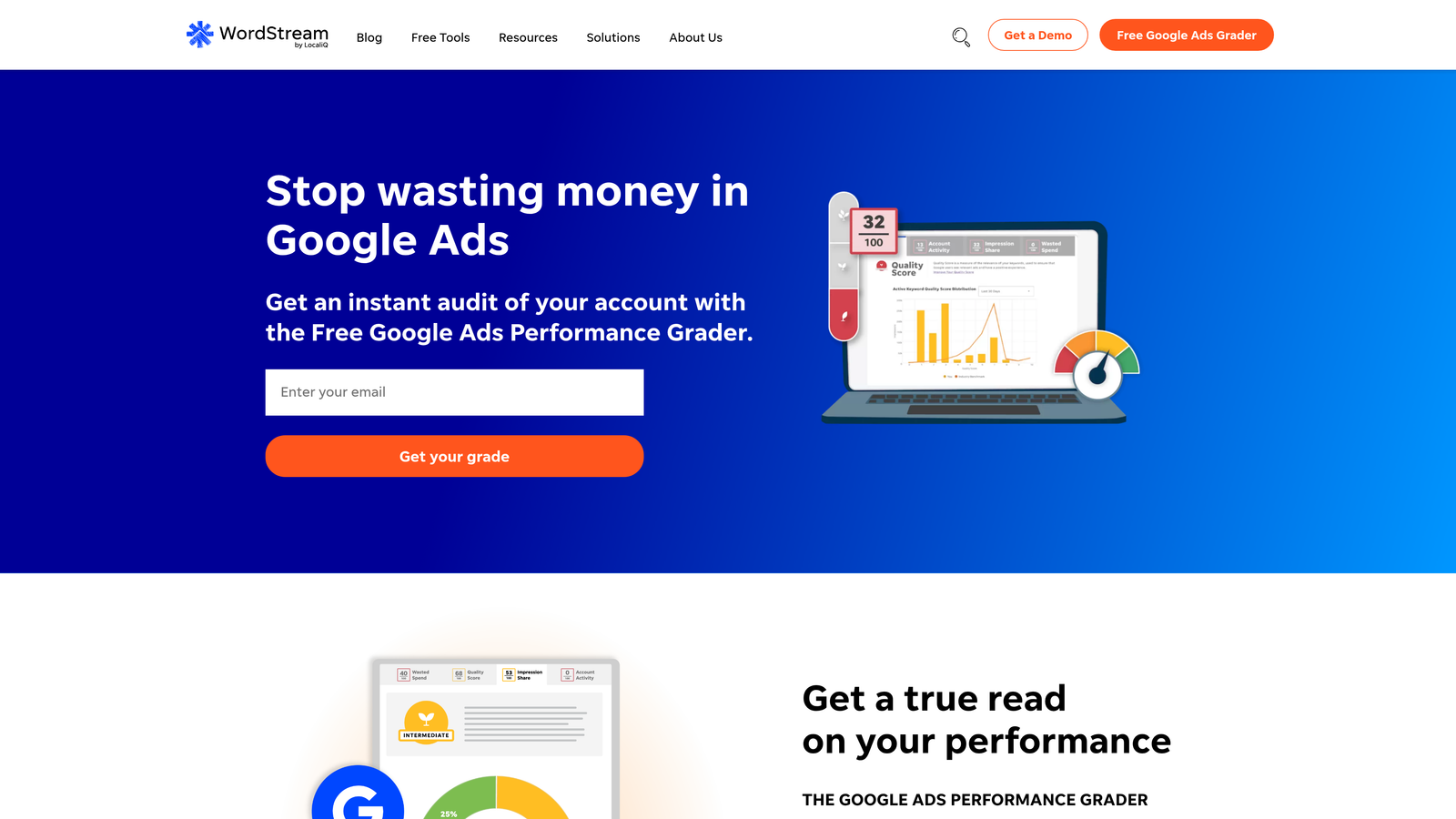
WordStream is a beginner-friendly PPC platform that surfaces quick optimization opportunities through its signature 20-Minute Work Week feature.
Where This Tool Shines
WordStream simplifies PPC management by prioritizing the highest-impact optimizations and presenting them in digestible chunks. The 20-Minute Work Week dashboard shows you exactly what to fix first, with clear explanations and one-click implementations.
The platform also handles cross-channel management, letting you run Google Ads, Bing Ads, and Facebook campaigns from a single interface. The built-in performance grader benchmarks your account against industry standards, giving you context for where you're underperforming and what to fix next.
Key Features
20-Minute Work Week: Prioritized optimization alerts that guide you through high-impact changes quickly.
Cross-Platform Management: Run Google Ads, Bing, and Facebook campaigns from one dashboard.
Performance Grader: Free account audit tool that benchmarks your performance against industry standards.
Landing Page Tools: Built-in landing page builder and call tracking for conversion optimization.
Keyword Suggestions: Automated keyword recommendations based on your existing campaigns and landing pages.
Best For
Small business owners and marketers who don't have time to become PPC experts but still want to run effective campaigns. The guided approach makes it easy to implement best practices without deep technical knowledge.
Pricing
Custom pricing based on monthly ad spend. WordStream typically works with businesses spending at least a few thousand per month and often includes managed service options.
4. Adalysis
Best for: Automated ad testing and Quality Score optimization with statistical significance tracking
Adalysis specializes in ad testing analysis and Quality Score diagnostics, automating the process of determining which ad variations actually perform better.
Where This Tool Shines
Most advertisers run A/B tests but struggle to determine when results are statistically significant. Adalysis solves this by automatically calculating confidence levels and recommending which ads to pause based on real performance data, not gut feeling.
The platform also excels at Quality Score optimization by breaking down the three QS components—expected CTR, ad relevance, and landing page experience—and providing specific recommendations for improvement. The automated alert system flags underperforming elements before they waste significant budget.
Key Features
Automated Ad Testing: Statistical significance tracking that tells you exactly when to declare a winner in ad tests.
Quality Score Tracking: Component-level QS diagnostics with historical trend data and improvement recommendations.
Automated Performance Alerts: Proactive notifications when campaigns, ad groups, or keywords underperform based on your thresholds.
N-Gram Analysis: Search term pattern analysis that identifies common phrases and themes in your search query data.
Auction Insights Tracking: Monitor competitor impression share and overlap over time.
Best For
Performance-focused advertisers who run continuous ad testing and want to make data-driven decisions about which variations to scale. Particularly valuable if Quality Score optimization is a priority.
Pricing
Starts at $99/month for smaller accounts, with pricing tiers based on ad spend and account complexity.
5. Tenscores
Best for: Deep Quality Score diagnostics and component-level improvement tracking
Tenscores is a specialized tool focused exclusively on Quality Score optimization, providing granular insights into what's dragging down your scores and how to fix it.

Where This Tool Shines
While Google Ads shows you Quality Score, it doesn't give you much context about why scores are low or how to improve them. Tenscores fills that gap by breaking down each QS component—expected CTR, ad relevance, and landing page experience—and tracking historical changes over time.
The platform prioritizes improvement opportunities by showing you which keyword-level changes will have the biggest impact on overall account performance. Instead of guessing where to focus your optimization efforts, you get a clear roadmap based on actual QS data and potential impact analysis.
Key Features
Quality Score Component Breakdown: Separate tracking for expected CTR, ad relevance, and landing page experience at the keyword level.
Historical QS Trend Analysis: See how Quality Scores change over time and correlate improvements with specific optimizations.
Keyword-Level Recommendations: Specific suggestions for improving each QS component based on your account data.
Impact Analysis: Prioritization system that shows which improvements will have the biggest effect on performance.
Automated Reporting: Regular Quality Score reports delivered to your inbox with change alerts.
Best For
Advertisers running competitive keywords where Quality Score directly impacts CPC and ad position. If you're in a high-CPC industry, even small QS improvements can save thousands per month.
Pricing
Starts around $25/month for smaller accounts, with tiered pricing based on account size and keyword volume.
6. Google Ads Editor
Best for: Bulk editing and offline campaign management without per-action clicks
Google Ads Editor is Google's free desktop application for making bulk changes to campaigns offline, then uploading edits in batches.

Where This Tool Shines
When you need to make hundreds or thousands of changes across campaigns, clicking through the web interface becomes impossibly slow. Google Ads Editor lets you download entire accounts, make bulk edits in a spreadsheet-like interface, review changes before they go live, then upload everything at once.
The find-and-replace functionality is particularly powerful for updating URLs, ad copy, or tracking parameters across multiple campaigns simultaneously. You can also copy entire campaigns or ad groups between accounts, making it essential for agencies launching similar campaign structures for new clients.
Key Features
Bulk Editing: Make thousands of changes to campaigns, ad groups, keywords, and ads simultaneously.
Offline Editing: Work on campaigns without an internet connection, then upload changes when ready.
Find and Replace: Update URLs, tracking parameters, or ad copy across entire accounts with search-and-replace functionality.
Copy Between Accounts: Duplicate campaign structures across multiple Google Ads accounts efficiently.
Change Review: Preview all modifications before uploading to catch errors before they go live.
Best For
Anyone managing large accounts or multiple clients who needs to make bulk changes efficiently. Essential for agencies building out new campaign structures or updating tracking across accounts.
Pricing
Free. Google Ads Editor is available at no cost for all Google Ads users.
7. SEMrush PPC Toolkit
Best for: Competitive intelligence and strategic keyword research for paid campaigns
SEMrush is a comprehensive competitive intelligence platform with specialized PPC tools for keyword research, competitor ad analysis, and strategic campaign planning.
Where This Tool Shines
SEMrush excels at answering the question: "What are my competitors doing in paid search?" You can see which keywords competitors are bidding on, view their ad copy variations, analyze their landing pages, and track their paid search positioning over time.
The PPC Keyword Tool provides CPC estimates and competitive density metrics that help you identify profitable keyword opportunities before you start bidding. The display advertising research features let you see banner ads competitors are running across the web, giving you creative inspiration and competitive insights beyond just search ads.
Key Features
Competitor Ad Copy Research: View competitors' active and historical ad copy with landing page analysis.
PPC Keyword Tool: Keyword research with CPC estimates, competition levels, and search volume data.
Ad History Tracking: See when competitors started or stopped running specific ads and keywords.
Display Ad Research: Analyze banner ads and display campaigns across the Google Display Network.
Position Tracking: Monitor paid keyword rankings and impression share over time.
Best For
Strategic PPC planning and competitive research, especially if you're entering new markets or want to understand competitor strategies before launching campaigns. The full SEMrush suite includes SEO tools, making it valuable for integrated search marketing.
Pricing
Starts at $139.95/month for the full SEMrush platform, which includes PPC tools alongside SEO, content, and social media features.
8. SpyFu
Best for: Historical PPC data and long-term competitor keyword strategy analysis
SpyFu specializes in historical paid search data, letting you see competitors' keyword strategies and ad copy variations over years, not just current campaigns.
Where This Tool Shines
While most competitor research tools show you what's happening right now, SpyFu's historical database reveals long-term patterns. You can see which keywords competitors have been bidding on consistently for years (indicating profitability) versus which ones they tested and abandoned quickly.
The platform also provides downloadable competitor keyword lists, making it easy to import proven keywords directly into your campaigns. The domain-versus-domain comparison feature shows keyword overlap, helping you identify gaps in your strategy or opportunities where competitors aren't bidding.
Key Features
Competitor Keyword Downloads: Export full keyword lists competitors are bidding on for quick campaign building.
Ad History Archive: View years of ad copy variations and identify which messages competitors run consistently.
PPC Keyword Research: Profitability estimates based on how long competitors have been bidding on specific keywords.
Ad Variation Testing Insights: See which ad copy variations competitors test most frequently.
Domain vs. Domain Comparison: Identify keyword overlap and gaps between your campaigns and competitors'.
Best For
Advertisers who want to learn from competitors' long-term PPC strategies rather than just copying current campaigns. Particularly useful for identifying proven, profitable keywords in competitive industries.
Pricing
Starts at $39/month for basic plans, with higher tiers offering more historical data and competitive analysis features.
9. Channable
Best for: E-commerce feed management and automated Shopping campaign optimization
Channable is a feed management and PPC automation platform designed for e-commerce advertisers running Google Shopping campaigns and dynamic search ads at scale.
Where This Tool Shines
Managing product feeds for Shopping campaigns becomes exponentially harder as your catalog grows. Channable automates feed optimization by letting you create rules that enhance product titles, improve categorization, and optimize attributes without manually editing thousands of SKUs.
The platform can also generate dynamic text ads automatically from your product feed, ensuring your search campaigns stay in sync with inventory and pricing. Multi-channel export capabilities mean you can optimize once and push to Google Shopping, Bing Shopping, and various marketplace platforms simultaneously.
Key Features
Product Feed Optimization: Rule-based feed enhancements for titles, descriptions, and product attributes.
Dynamic Text Ad Generation: Automatically create search ads from product feed data with template customization.
Automated Shopping Campaign Creation: Build and structure Shopping campaigns programmatically based on feed attributes.
Multi-Channel Export: Push optimized feeds to Google Shopping, Bing, Amazon, and other marketplaces from one platform.
Inventory Sync: Automatically pause ads for out-of-stock products and resume when inventory returns.
Best For
E-commerce businesses with large product catalogs running Shopping campaigns across multiple channels. Essential if you're managing hundreds or thousands of SKUs and need to keep feeds optimized without manual updates.
Pricing
Starts around €29/month based on SKU count, with pricing scaling as catalog size increases.
Making the Right Choice
The best AdWords optimization tool depends entirely on where you're spending the most time and what's slowing you down. If you're constantly digging through search terms reports and manually building negative keyword lists, an in-interface solution like Keywordme eliminates that entire workflow. If you're running complex automation across multiple accounts, Optmyzr's rule-based system gives you the control and scale you need.
For competitive research and strategic planning, SEMrush and SpyFu reveal what's working for competitors before you spend budget testing. Quality Score issues dragging down performance? Tenscores and Adalysis provide the diagnostics and testing frameworks to fix them systematically.
E-commerce advertisers with large catalogs should prioritize feed management through Channable, while small business owners who need guided optimization can rely on WordStream's 20-Minute Work Week approach. And if you're making bulk changes across campaigns, Google Ads Editor remains the free, essential tool for efficient editing.
Most serious PPC managers use a combination of these tools rather than relying on just one. You might use Keywordme for daily search terms cleanup, SEMrush for quarterly competitive analysis, and Google Ads Editor for major campaign restructures. The key is identifying which parts of your workflow consume the most time and finding tools that eliminate those bottlenecks.
If you're looking for the fastest way to optimize search terms and negative keywords without changing your existing workflow, start your free 7-day trial of Keywordme. It integrates directly into Google Ads, letting you remove junk search terms, build high-intent keyword lists, and apply match types instantly—right where you're already working. No spreadsheets, no switching tabs, just quick, seamless optimization for $12/month after your trial ends.
.svg)